
Mark an opportunity won or lost
Close a deal as won, or record why it was lost so you can learn from it.
Where to find it
CRMPipeline
Steps
- Open CRM and click the opportunity.
- If the customer said yes, correct the Expected revenue if the final price changed, then click Mark Won. SiaOne saves your change together with it. The opportunity turns green and moves to the Won column.
- Click Pipeline in the breadcrumb and open a deal you lost.
- Click Mark Lost.
- Choose a Lost reason from the list, then click Mark Lost. (If the reason is new, type it under "or add a new reason".)
- Open Pipeline > Lost Opportunities to see every lost deal with its reason.
Tip
You can also click Won or Lost on the card itself, without opening the opportunity.
Note
A won deal still has Create Quotation, so you can prepare the quotation after you close the deal.
Note
Closed by mistake? Open the opportunity and click Reopen. The deal goes back into the pipeline.
What happens next
See why you lose deals under CRM > Reporting > Lost Analysis. To manage the list of reasons, read pipeline stages, lead sources and lost reasons.
Was this lesson helpful?
Thank you for the feedback.
Keep learning
Add a lead
Write down a new enquiry - who is asking, what they want and roughly how much it is worth - so it can be followed up.
Convert a lead to an opportunity
Move a promising lead from the inbox into the pipeline and fill in the details of the deal.
Set up pipeline stages, lead sources and lost reasons
Adjust the lists CRM uses - the columns of the pipeline, where leads come from, and the reasons for losing a deal.
 1:04
1:04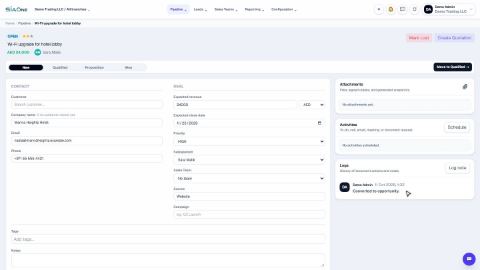 1:06
1:06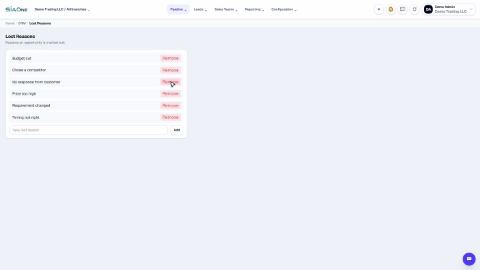 1:04
1:04