
Overview
CRM tracks prospects before they become sales. You capture an enquiry as a lead, qualify it into an opportunity, move it across the pipeline, and turn the deals you win into quotations.
Lead → Opportunity → Quotation → Won or Lost
| Feature | Where | What it is |
|---|---|---|
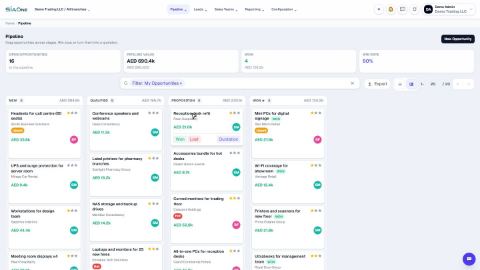
| Pipeline | CRM › Pipeline | A board with one column per stage. The tiles at the top show open opportunities, pipeline value, won deals and win rate. |
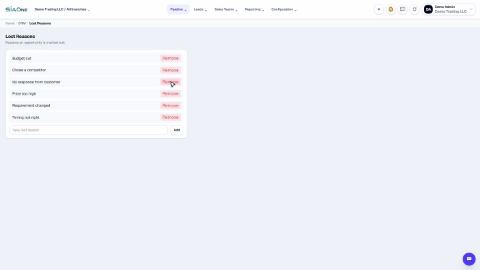
| Lost Opportunities | CRM › Pipeline › Lost Opportunities | Every deal you lost, with the reason. |
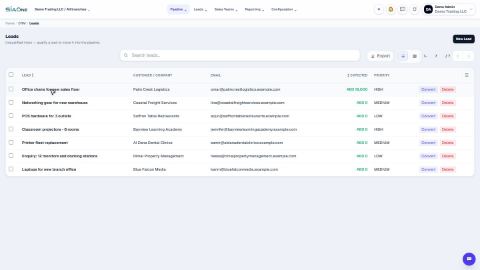
| Leads | CRM › Leads | The inbox of unqualified enquiries: All Leads, My Leads, Unassigned Leads, and New Lead. |
| Sales Teams | CRM › Sales Teams | Each team's open value, won value and win rate. |
| Reporting | CRM › Reporting | Lost Analysis (why deals were lost) and Team Performance. |
| Configuration | CRM › Configuration | Pipeline Stages, Sales Teams, Lead Sources, Lost Reasons and Web-to-Lead. |
Tasks in CRM
Leads
 1:04
1:04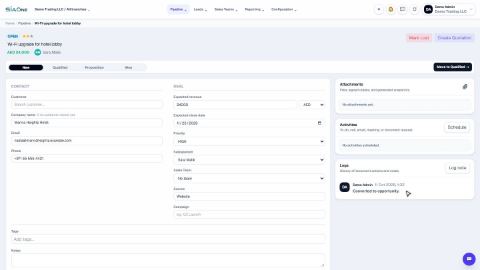 1:06
1:06Pipeline
Move an opportunity through the pipeline
Drag a card to the next stage, or use the stage buttons on the opportunity, so the pipeline always shows where each deal stands.
Mark an opportunity won or lost
Close a deal as won, or record why it was lost so you can learn from it.
Create a quotation from an opportunity
Turn a deal in the pipeline into a draft quotation with one click, with the customer and the amount already filled in.
 1:01
1:01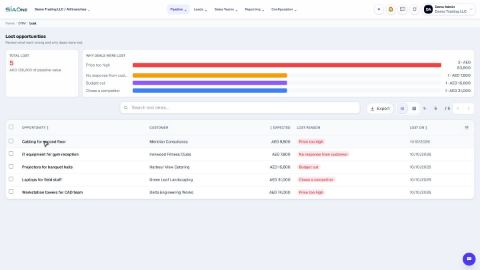 1:02
1:02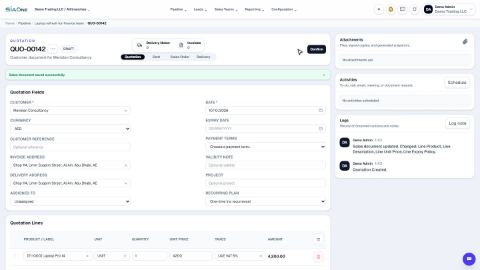 0:58
0:58Configuration
 1:04
1:04Coming soon
These lessons are being written and recorded.
- Web-to-Lead form for your website
- Sales teams and team performance