
Move an opportunity through the pipeline
Drag a card to the next stage, or use the stage buttons on the opportunity, so the pipeline always shows where each deal stands.
Where to find it
CRMPipeline
Steps
- Open CRM. Each column of the board is a stage. New deals start in New.
- Drag the card to the next column when the deal moves forward. The totals at the top of each column update at once.
- Or click the card to open the opportunity.
- The bar under the title shows the stage the deal is in. Click the button on the right (for example Move to Proposition) to go forward. The button on the left (for example ← Qualified) takes it back one stage.
- Click Pipeline in the breadcrumb at the top. The card now sits in its new column.
Tip
Hover over a card to see Won, Lost and Quotation buttons without opening it.
Note
The last column, Won, is special: moving a card there marks the deal as won. You can rename the stages and choose which one counts as won under CRM > Configuration > Pipeline Stages.
What happens next
When the customer decides, mark the opportunity won or lost.
Was this lesson helpful?
Thank you for the feedback.
Keep learning
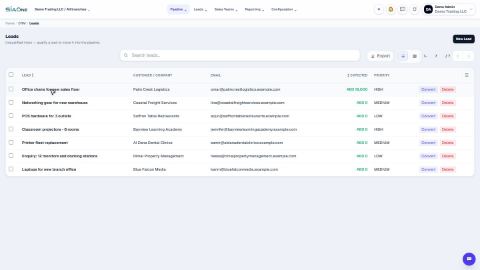
Add a lead
Write down a new enquiry - who is asking, what they want and roughly how much it is worth - so it can be followed up.
Create a quotation from an opportunity
Turn a deal in the pipeline into a draft quotation with one click, with the customer and the amount already filled in.
Set up pipeline stages, lead sources and lost reasons
Adjust the lists CRM uses - the columns of the pipeline, where leads come from, and the reasons for losing a deal.
 1:04
1:04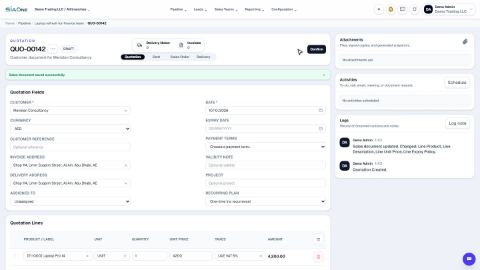 0:58
0:58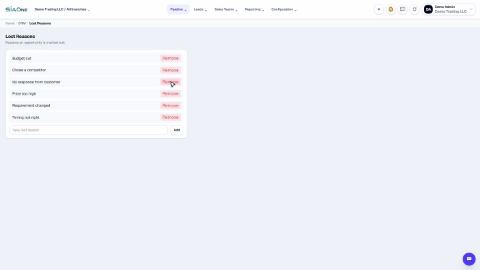 1:04
1:04