
Set a customer's default currency and credit days
Make new quotations and invoices for a customer start in the right currency, and record how many days the customer has to pay.
Where to find it
SalesCustomersCustomersSales tab
Steps
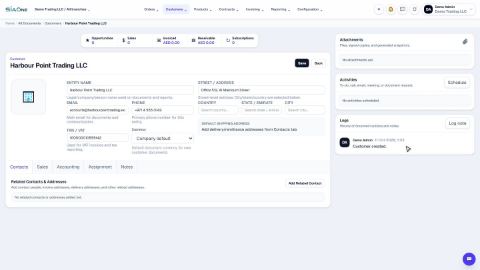
- Open the customer from Sales > Customers > Customers.
- Under Currency, choose the currency this customer is normally billed in - for example USD. Company default means the currency of your company.
- Open the Sales tab. In Credit days, type how many days this customer has to pay, for example
30. - Click Save. New documents for this customer now start in this currency.
Note
The currency is only a starting point. You can still change the currency and pick the Payment Terms (for example Net 30) on each quotation or invoice.
Note
The Payment Terms box on the customer record is not stored on the version of SiaOne used for these videos. Use Credit days on the customer and Payment Terms on each document.
What happens next
Add a limit on how much the customer may owe: Set a credit limit for a customer.
Was this lesson helpful?
Thank you for the feedback.
Keep learning
Add a customer
Create a customer once, with its name, email, phone and TRN, so every quotation, order and invoice can use it.
Give a customer or vendor its own receivable or payable account
Post one customer's invoices, or one vendor's bills, to a separate account instead of the shared Accounts Receivable or Accounts Payable.
See what a customer owes from their record
Open a customer and see what they bought, what was invoiced and what is still unpaid - then compare with every other customer.
 1:02
1:02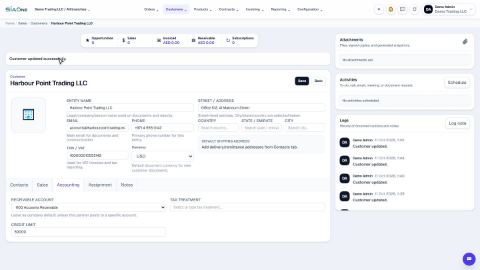 0:48
0:48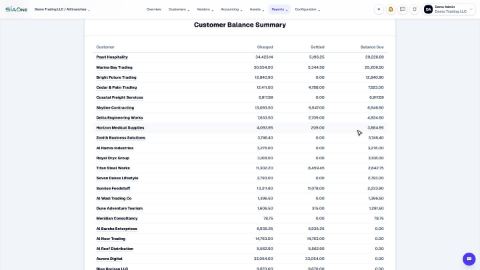 1:40
1:40