
Set up country accounting (localization)
Where the country accounting set-up lives, and what a company looks like once it has been applied - chart of accounts, taxes and journals.
What this does
The country set-up gives a company everything it needs to start bookkeeping: a chart of accounts, the tax rates (5% VAT for the UAE) and the standard journals such as Sales, Purchases, Bank and Cash. It is the first thing to do in a new company, before any transaction.
Steps
These steps show a company where the set-up has already been applied.
- Open Settings and the Accounting tab. Scroll down to Country accounting setup.
- The badge says AE applied. The card shows the country - United Arab Emirates - the code and the date it was applied. Edit Localization opens the settings for it.
- The set-up created the chart of accounts. Open Accounting and choose Accounting > Chart of Accounts to see the accounts.
- It also created the tax rates. Open Configuration > Taxes to see UAE VAT 5%. The Localization column says AE for taxes that came from the set-up.
Important
The full set-up can only be applied to a company with no transactions. Check the company's country under Settings > Administration > Companies & Branches first, then apply the set-up before the first invoice or bill.
If the company already has transactions
A company imported from another system (for example QuickBooks) already has its own chart of accounts. Use Add missing taxes and journals instead: it adds only the taxes and journals that are missing and lets you choose which of your existing accounts they post to. No new accounts are created.
 1:03
1:03 0:57
0:57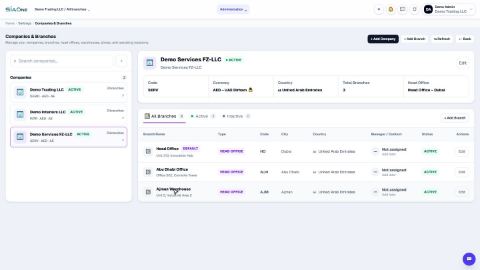 1:04
1:04