
Install or update an app
Apps are added and updated by the SiaOne team through SiaOne Control. Here is what to ask for and what to expect.
You do not install or update apps yourself. The SiaOne team does it for your company through SiaOne Control, the tool they use to look after your workspace. Installing or updating an app restarts SiaOne for everybody for a short time, so it is planned with you first.
What to do
- Open Manage Apps on the home screen. See See which apps are installed. Note the name of the app you need, or the apps that say Update available.
- Ask the SiaOne team to install or update it. Say which app, and which day and time suit you - pick a quiet time, because SiaOne is not available to anyone while the update runs.
- When they tell you it is done, open Manage Apps. The app shows Installed with its new version.
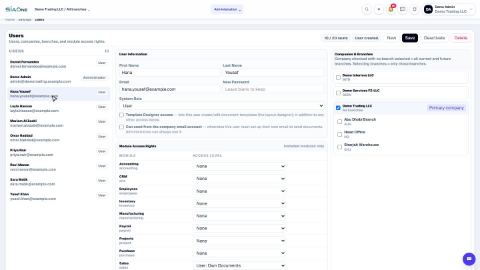
- Give people access to the new app: Add a user and set access rights. Until a person has an access level other than None, the app stays hidden for them.
Important
Do not click Install or Update in Manage Apps yourself. These buttons change the whole workspace for everybody, and the SiaOne team needs to do it in the right order.
Tip
Some apps need others. Dependencies on each app's card show what it needs - for example Manufacturing needs Inventory and Accounting. Tell the SiaOne team about any app you want, and they will add what it depends on.
What happens next
Check what each person can open: Understand access levels.
 1:01
1:01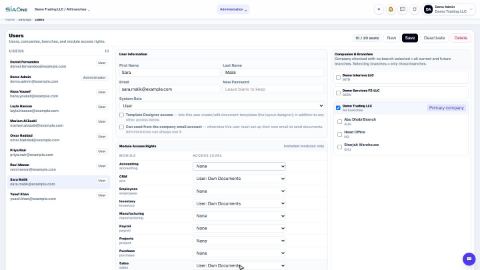 0:55
0:55 1:04
1:04