
Scrap damaged stock
Write off goods that are damaged, expired or lost, so your stock and its value stay true.
Where to find it
InventoryOperationsStock Moves
Before you start
The product must have stock in the location you scrap from. To fix a wrong total after a count, use Count stock instead.
Steps
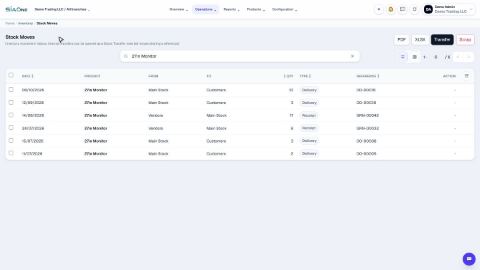
- Open Inventory, go to Operations > Stock Moves and click Scrap. The Scrap / write-off form opens above the list.
- Type a few letters of the product in Product and pick it from the list.
- Choose the Location where the damaged goods are.
- Type the Quantity to scrap. Add a Note that says why, for example "Cable cut in the warehouse". You can also choose who the scrap is assigned to.
- Click Scrap. The goods leave your stock.
- The move shows in the Stock Moves list, going from your location to the Scrap location, with the type Scrap.
Note
Scrapping lowers both the quantity and the value of your stock.
What happens next
To see the new quantity, open Check stock on hand.
Was this lesson helpful?
Thank you for the feedback.
Keep learning
Check stock on hand
See how much of each product you have and what it is worth, find a product quickly, and see how its quantity got there.
Create a product
Add a stock item with its type, category, code and prices, so you can buy it, sell it and count it.
Choose a product type: storable, consumable or service
The Product Type decides whether SiaOne counts the stock, receives it, delivers it and values it.
 1:22
1:22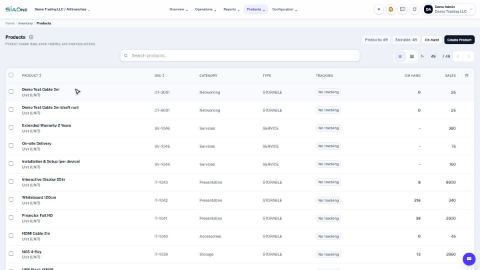 1:27
1:27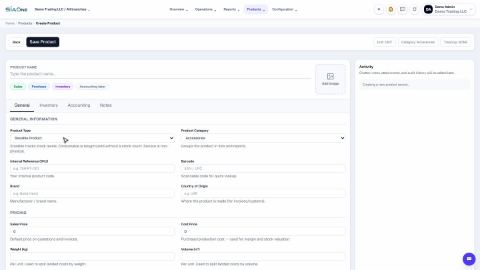 1:31
1:31