
Add a stock location
Create a shelf, room or shop where stock can be kept, so you can move goods to it.
Where to find it
InventoryConfigurationStock Locations
Steps
- Open Inventory, then go to Configuration > Stock Locations. The list shows every location, with its Code, Type and Warehouse.
- Click New Location. A short form opens above the list.
- Type a Name and a short Code, for example Showroom and SHOWROOM.
- Keep the Type as Internal (stock) for a place where you keep goods. The other types are used by the system: Inventory Adjustment for counts, and Scrap / Write-off for damaged goods. If you use warehouses, choose one under Warehouse (optional).
- Click Create location. The new location appears in the list and can be used for transfers.
Note
Customers and Vendors are system locations. They stand for the outside world: goods leave to Customers and arrive from Vendors.
What happens next
Move goods into the new location with Transfer stock between locations.
Was this lesson helpful?
Thank you for the feedback.
Keep learning
Check stock on hand
See how much of each product you have and what it is worth, find a product quickly, and see how its quantity got there.
Create a product
Add a stock item with its type, category, code and prices, so you can buy it, sell it and count it.
Choose a product type: storable, consumable or service
The Product Type decides whether SiaOne counts the stock, receives it, delivers it and values it.
 1:22
1:22 1:27
1:27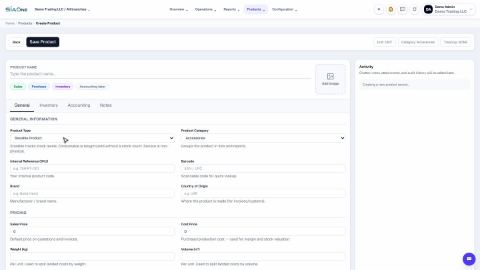 1:31
1:31