
Overview
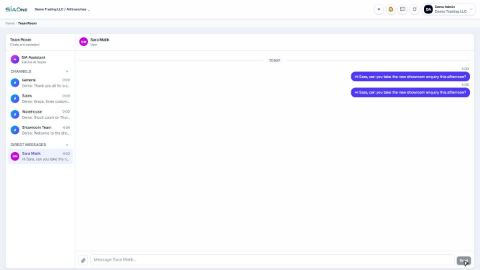
Team Room is the chat built into SiaOne. Talk to your team in channels or in private messages, and attach invoices, orders or customers to a message, so the person reading it can open the real record with one click. Nothing is copied into another app.
Create a channel or message a person → write → attach a record → send
| Feature | Where | What it is |
|---|---|---|
| Channels | Team Room › Channels | Shared rooms for a team or topic, such as General, Sales and Warehouse. Public (everyone) or Private (invite-only). |
| Direct messages | Team Room › Direct Messages | A private conversation with one colleague. |
| Members | Inside a channel › Members | See who is in the channel; a manager can add or remove people. |
| Attach a record | Message box › paperclip | Attach an invoice, bill, sales order, purchase order, customer, vendor or product to a message. |
| SIA Assistant | Top of the Team Room list | An AI helper that answers questions about SiaOne. |
| Chat icon | Top bar, on every screen | Opens your messages without leaving the page you are on. |
 1:00
1:00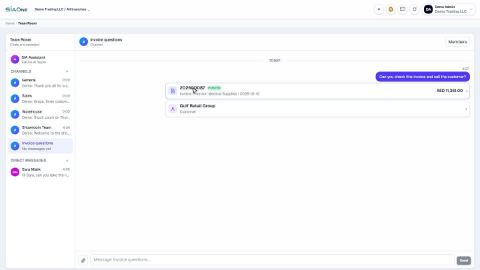 0:56
0:56