
Overview
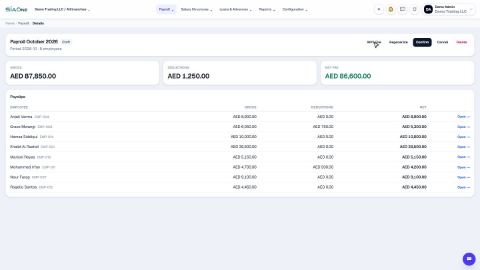
Payroll turns each employee's salary structure into a monthly payroll run. A run is a batch of payslips: you generate it, check it, confirm it, and then mark it paid once the salaries are transferred. Staff loans are taken back automatically, and the same screens give you the WPS file for the bank and the end-of-service gratuity.
Salary structure → Payroll run → Payslips → Confirm → WPS file → Mark paid
| Feature | Where | What it is |
|---|---|---|
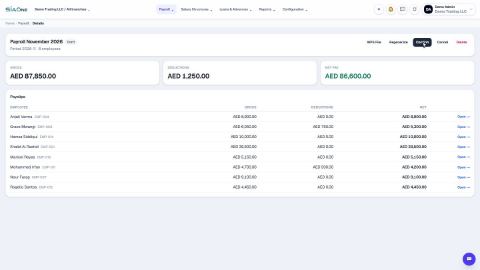
| Payroll runs | Payroll › Payroll Runs | Every monthly run with its status (Draft, Confirmed, Paid), gross and net pay. |
| New run | Payroll › New Payroll Run | Choose the month and generate the payslips. |
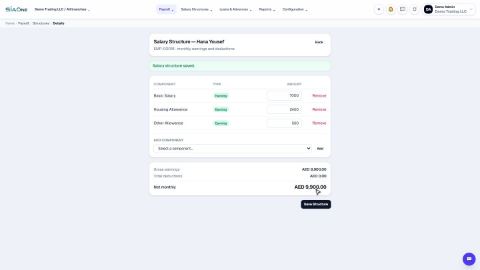
| Salary structures | Salary Structures | Each employee's fixed monthly earnings and deductions. |
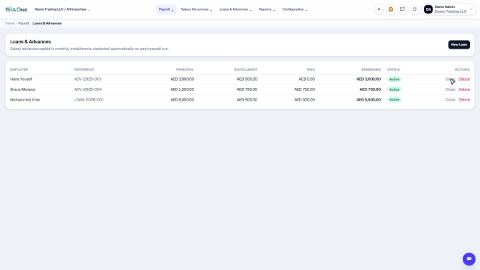
| Loans and advances | Loans & Advances | Salary advances repaid in monthly instalments, deducted on each run. |
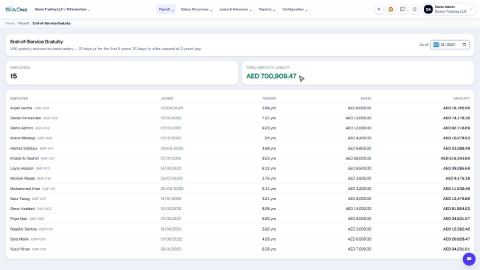
| End-of-service gratuity | Reports › End-of-Service Gratuity | What the company owes each employee on any date. |
| Payroll register | Reports › Payroll Register | Earnings, deductions and net pay for one run, person by person. |
| Salary components | Configuration › Salary Components | The earning and deduction types used on structures and payslips. |
| WPS settings | Configuration › WPS Settings | Employer details used in the WPS (SIF) bank file. |
| GL posting | Configuration › GL Posting | Optionally post payroll to the accounts. |
| My Payslips | User menu › My Payslips | An employee's own payslips, viewable as PDF. |
Tasks in Payroll
Salary setup
 1:09
1:09Payroll runs
 0:46
0:46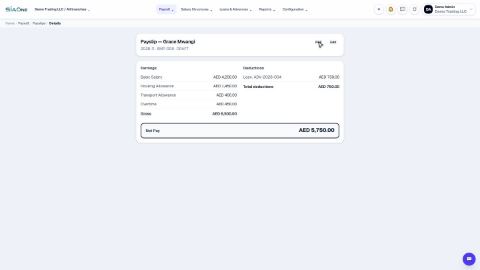 0:49
0:49Loans
 0:53
0:53Paying salaries
 0:46
0:46Reports
 0:34
0:34Coming soon
These lessons are being written and recorded.
- See your own payslips (My Payslips)
- Post payroll to the accounts