
Run a Balance Sheet
See what the company owns, what it owes and what is left for the owners on any date, and compare it with last month.
Where to find it
AccountingReportsBalance Sheet
Steps
- Open Accounting > Reports and choose Balance Sheet under Statements.
- Type the As of date and press Tab. The report shows the position on that day.
- Assets come first: bank, cash, fixed assets, inventory and receivables, each with a subtotal. Total Assets is at the bottom of the section.
- Liabilities and Equity follow. Total Liabilities and Equity must equal Total Assets, and the Difference line shows 0.00 when the books balance. Current Year Earnings is the profit so far this year.
- Choose vs Previous Month in the box next to PDF to add a column with the balances one month earlier. vs Previous Year compares with the same date last year.
- Click PDF to open a printable copy, or XLSX to download an Excel file.
Note
The report only counts posted entries. If Difference is not zero, tell your accountant before you close the month.
What happens next
To see how much profit the year produced, run the Profit and Loss report.
Was this lesson helpful?
Thank you for the feedback.
Keep learning
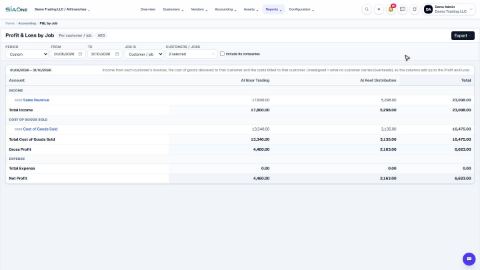
Run a Profit and Loss by Job
See income, cost of goods sold and net profit side by side for each customer or job, and compare only the ones you choose.
Check the books with the Trial Balance and General Ledger
Use the Trial Balance to see every account's balance and check that debits equal credits, then open the General Ledger to see the entries behind any account.
See who owes you money (Aged Receivable)
Use the Aged Receivable report to see every unpaid customer invoice by how overdue it is, then filter it, open an invoice and export the report.
 1:26
1:26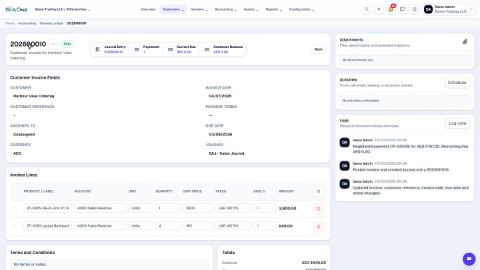 1:35
1:35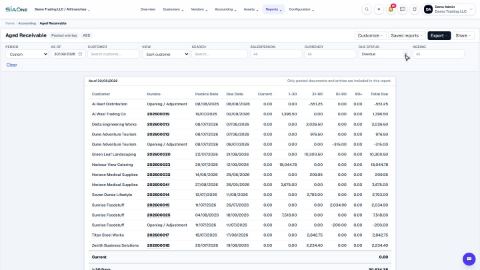 1:38
1:38