
Run the Cash Flow report
See where your cash came from and where it went in a period, split into operating, investing and financing activity.
Where to find it
AccountingReportsCash Flow
Steps
- Open Accounting > Reports and choose Cash Flow under Statements.
- Set the Period. Pick a ready-made one such as Last month, or type the From and To dates and press Tab after each.
- The cards at the top show the cash from Operating, Investing and Financing activity, and the Net change in cash. A negative figure is shown in red.
- The table starts from the Profit for the period. Under Adjustments to reconcile net income to cash it lists each balance sheet account that changed - receivables, payables, inventory, VAT and so on. Net cash from Operating Activities is the total.
- Investing Activities shows cash spent on, or received from, assets such as equipment. Financing Activities shows money from owners or loans. Each has its own Net cash line.
- Click Export and choose PDF, Excel or CSV.
Note
The report uses the indirect method: it starts from profit and adjusts for every change in the balance sheet. Stock you bought but have not sold, or invoices not yet paid, explain why cash can move very differently from profit.
Tip
Click any account in the table to open the entries behind its figure. To see the balances themselves, run the Balance Sheet.
What happens next
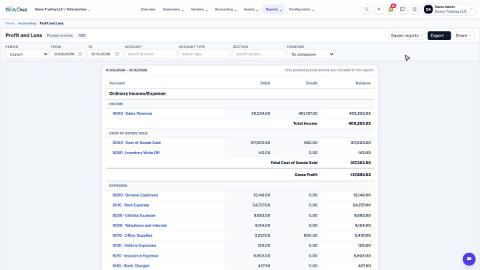
Compare the result with the Profit and Loss report for the same dates.
Was this lesson helpful?
Thank you for the feedback.
Keep learning
Run a Profit and Loss report
See your income, cost of goods sold, expenses and net profit for any period, compare it with last year or month by month, and open the entries behind any figure.
Check the books with the Trial Balance and General Ledger
Use the Trial Balance to see every account's opening balance, movement and closing balance and check that debits equal credits, then open the General Ledger to see the entries behind any account.
See who owes you money (Aged Receivable)
Use the Aged Receivable report to see every unpaid customer invoice by how overdue it is, then filter it, open an invoice and export the report.
 2:01
2:01 1:31
1:31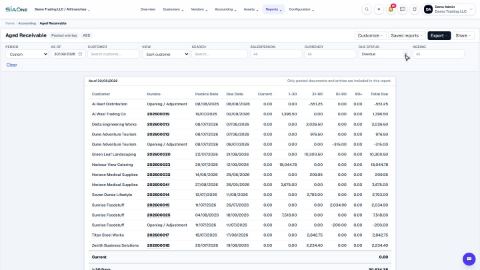 1:48
1:48