
Sell by the piece or by the box
When a product has more than one unit, choose the unit on each quotation line - SiaOne fills in the right price and keeps the stock in the product's own unit.
Before you start
The product needs a second unit. Open the product, go to its Inventory tab and look under Other Units: each row says what one unit is worth in the product's own unit (for example 1 Carton of 10 = 10 Unit), and whether it can be used for Sales, Purchase or by default. See Buy by the box, sell by the piece for how to add one.
Steps
- Open the product and click its Inventory tab. Other Units says 1 Carton of 10 = 10 Unit, ticked for Sales and Default sales. The product itself is counted in Unit.
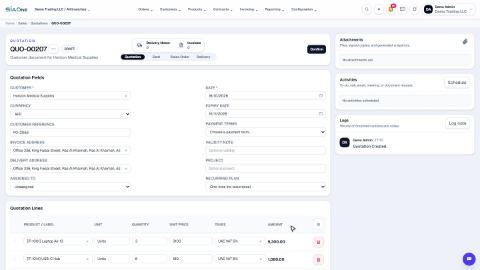
- Open Sales > Orders > Quotations, click New and choose the customer.
- Under Quotation Lines, type the product and pick it. Because the carton is the default sales unit, Unit fills in as the carton and Unit Price shows the price of a whole carton (280.00 for a roll that costs 28.00). Type 5 in Quantity.
- Click Add a product and pick the same product again. Click its Unit box: the list starts with the product's own unit (Carton of 10 (CTN10) = 10 UNIT). Choose Unit (UNIT). The price changes to the price of one piece (28.00). Type 12 in Quantity.
- Check the Totals: 5 cartons at 280.00 and 12 rolls at 28.00. Click Create.
Note
Stock is always counted in the product's own unit. A quote line for 5 cartons of 10 uses 50 pieces of stock when it is delivered, and the price you type is always the price of the unit shown on the line.
Tip
Tick Default sales only on the unit customers usually buy. A product without a default sales unit starts every line in its own unit, and you choose the carton by hand.
What happens next
When the customer accepts, confirm the quotation into a sales order.
 1:47
1:47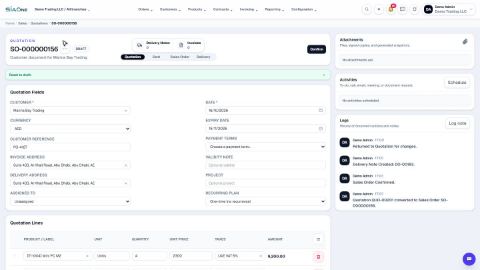 1:32
1:32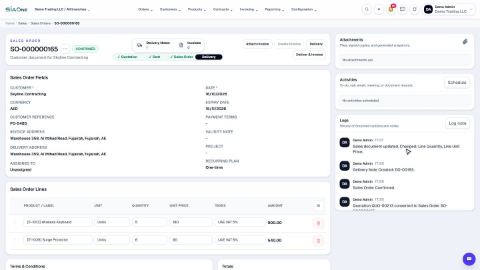 1:49
1:49