
Set up journals
The sales, purchase, bank, cash and general journals - what each one is for and which accounts it uses.
Where to find it
AccountingConfigurationJournals
Before you start
A journal is a book that groups one kind of entry. Every invoice, bill, payment and manual entry is posted into a journal, and the journal decides which account is used. Your company already has six journals, so you only open this screen to check them or to add a bank or cash account.
Steps
- Open Accounting > Configuration > Journals. The cards at the top count the journals, the Protected ones that the system relies on, and the Reconcilable ones.
- Each journal has a Code (BNK, CSH, GEN, OPB, PUJ, SAJ), a Type, and - for bank and cash journals - a Default Account, the account the money moves in. A Suspense Account holds bank lines that are not matched yet.
- Reconcilable shows which journals can be matched to a bank statement. Bank and cash are Allowed; the others are No.
- Click a journal to open it. Journal Details show the code, the name, the type and the accounts. Entries at the top lists everything posted in this journal.
- Back in the list, New Journal adds one. Type a Journal Code (for example BNK2) and a Journal Name, choose the Journal Type, and for a bank or cash journal choose its Default Account. Click Save.
Tip
Add one journal per real bank account. When you receive or make a payment, you choose the journal, and that decides which bank account moves.
Note
The GEN journal is for manual journal entries. OPB is used once, for opening balances.
What happens next
When you record a payment, you pick one of these journals. To see how, read Record a customer payment.
Was this lesson helpful?
Thank you for the feedback.
Keep learning
Register a fixed asset and run depreciation
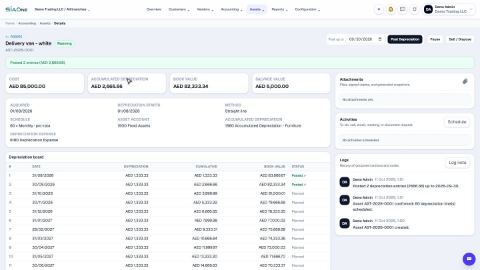
Add an asset such as a vehicle, see its depreciation board, confirm it, and post the depreciation each month.
Reconcile a bank statement
Import the statement from your bank, let SiaOne match each line to a payment, and post the bank charges your books do not have yet.
Record a manual journal entry
Post your own debit and credit lines for something no invoice, bill or payment covers - such as a bank charge with VAT, or a correction.
 2:18
2:18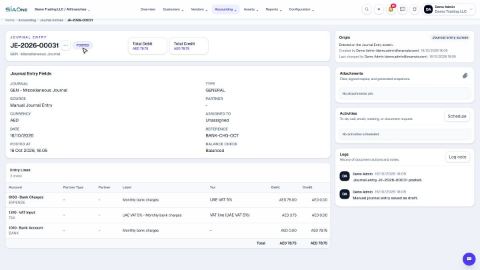 1:47
1:47