
Record a manual journal entry
Post your own debit and credit lines for something no invoice, bill or payment covers - such as a bank charge with VAT, or a correction.
Before you start
Most entries are made for you when you post an invoice, a bill or a payment. Use a manual entry only when none of those fits. You need to know which accounts to debit and which to credit. Debits and credits must add up to the same amount.
Steps
- Open Accounting > Accounting > Journal Entries and click New.
- Check the Journal (GEN - Miscellaneous Journal is the usual one) and the Entry Date. Type a Reference so you can find the entry later.
- On the first line, search the Account (for example 6160 - Bank Charges) and add a Label. If the amount has VAT, choose UAE VAT 5% in Tax: SiaOne adds the VAT line for you (to 1310 VAT Input) and counts it in the totals. Then type the amount in Debit (for example 75).
- On the second line, search the account on the other side (for example 1010 - Bank Account), add a Label, and type the full amount in Credit - here 78.75, the charge plus its VAT. Leave Tax as No tax on this line. The totals at the bottom must match. Click Add Line if the entry needs more lines.
- Click Post Entry. SiaOne gives the entry a number (JE-2026-00028, for example) and shows Posted and Balanced. Entry Lines shows the Tax used on each line, and the VAT line is marked as a VAT line. The reports include the entry at once.
Tip
The lines table is wider than the page. Slide it sideways to reach Tax, Debit and Credit. Click Save Draft instead of Post Entry if you want a colleague to review the entry first. A draft does not change any report.
Note
Choose the Tax on the expense or income line instead of typing the VAT amount as a separate line. The tax you choose is what the tax reports use for a journal entry.
Important
A posted entry cannot be edited directly. To correct a mistake, open the actions menu (⋯) and choose Reset to Draft, fix the lines, and post it again. Once a period is closed, post a second entry that reverses it instead - or lock the period, see Lock a closed period.
What happens next
The entry appears in Journal Entries, in the General Ledger and in the Trial Balance. To set up the accounts used here, read Chart of accounts and account groups.
 1:59
1:59 2:26
2:26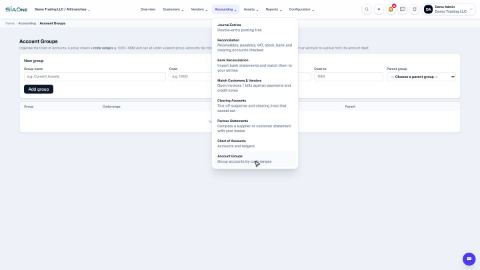 1:27
1:27