
Compare your budget with actual spending (Budget vs Actual)
See what you planned, what has really been posted, the variance and the percentage achieved, and what is left of the whole budget.
Where to find it
AccountingReportsBudget vs Actual
Before you start
You need a confirmed budget. See Create a budget.
Steps
- Open Accounting > Reports and choose Budget vs Actual under Management.
- Choose the date to measure up to. Pick End of last month in Period, or type an As of date and press Tab. Budget lets you pick a budget; it starts on the latest one.
- Each account shows the Budget for the period up to that date (the current month counted by days), the Actual posted, the Variance between them and the Achieved percentage.
- Full Budget is the whole budget for the account and Remaining is what is left of it. Status says Within Budget or Over Budget for costs, and Above Budget or Below Budget for income. An account with spending but no budget shows No Budget.
- Use Accounts to switch from Budgeted + Unbudgeted Spending to Budgeted Accounts Only. Compare With switches between Budget To Date and the Full Budget.
- Click an account to open its entries in the General Ledger. Click Budget vs Actual in the path at the top to come back.
- Click Export and choose PDF, Excel or CSV.
Note
Actuals come from posted entries, the same figures as the Profit and Loss report. Net profit at the bottom is the budgeted profit against the actual profit.
What happens next
If an account is always over budget, adjust the budget: open it under Configuration > Budgets, set it to Draft, change the figures, and confirm it again.
Was this lesson helpful?
Thank you for the feedback.
Keep learning
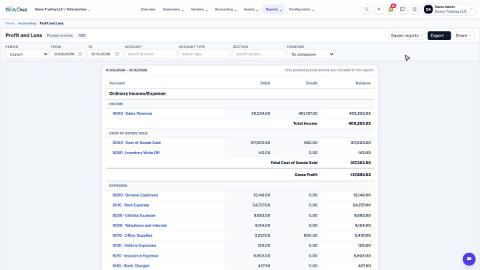
Run a Profit and Loss report
See your income, cost of goods sold, expenses and net profit for any period, compare it with last year or month by month, and open the entries behind any figure.
Run a Balance Sheet
See what the company owns, what it owes and what is left for the owners on any date, and compare it with last month or month by month.
Run the Cash Flow report
See where your cash came from and where it went in a period, split into operating, investing and financing activity.
 2:01
2:01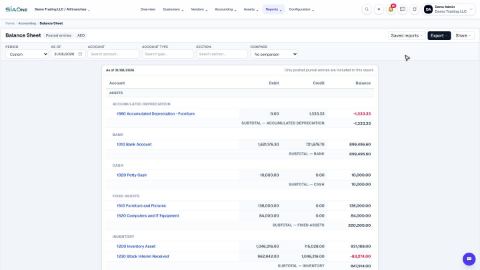 1:57
1:57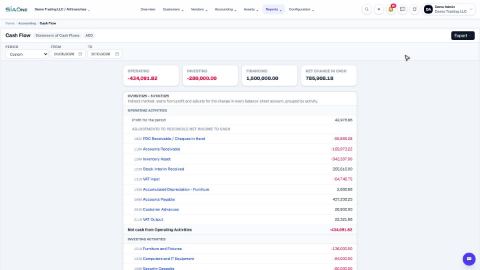 1:33
1:33